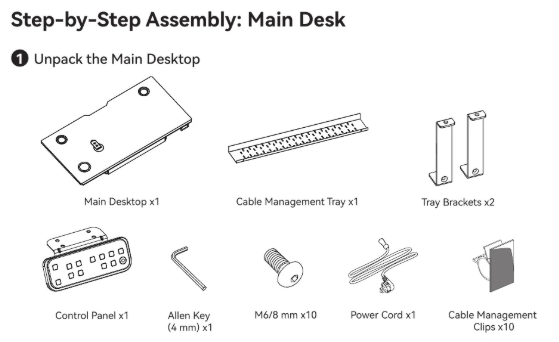
Choose the desk configuration before selecting accessories. CyberOne Modular is available in Main, L-shaped, Extended L-shaped and U-shaped layouts. The Cyber Series Installation Manual has a separate assembly chapter for each layout, so the configuration determines the installation steps and components you will use.
This guide is for planning a CyberOne Modular order and setup. Use the manual supplied with the desk for the hardware list, assembly sequence and safety instructions.

1. Start with the room and work zones
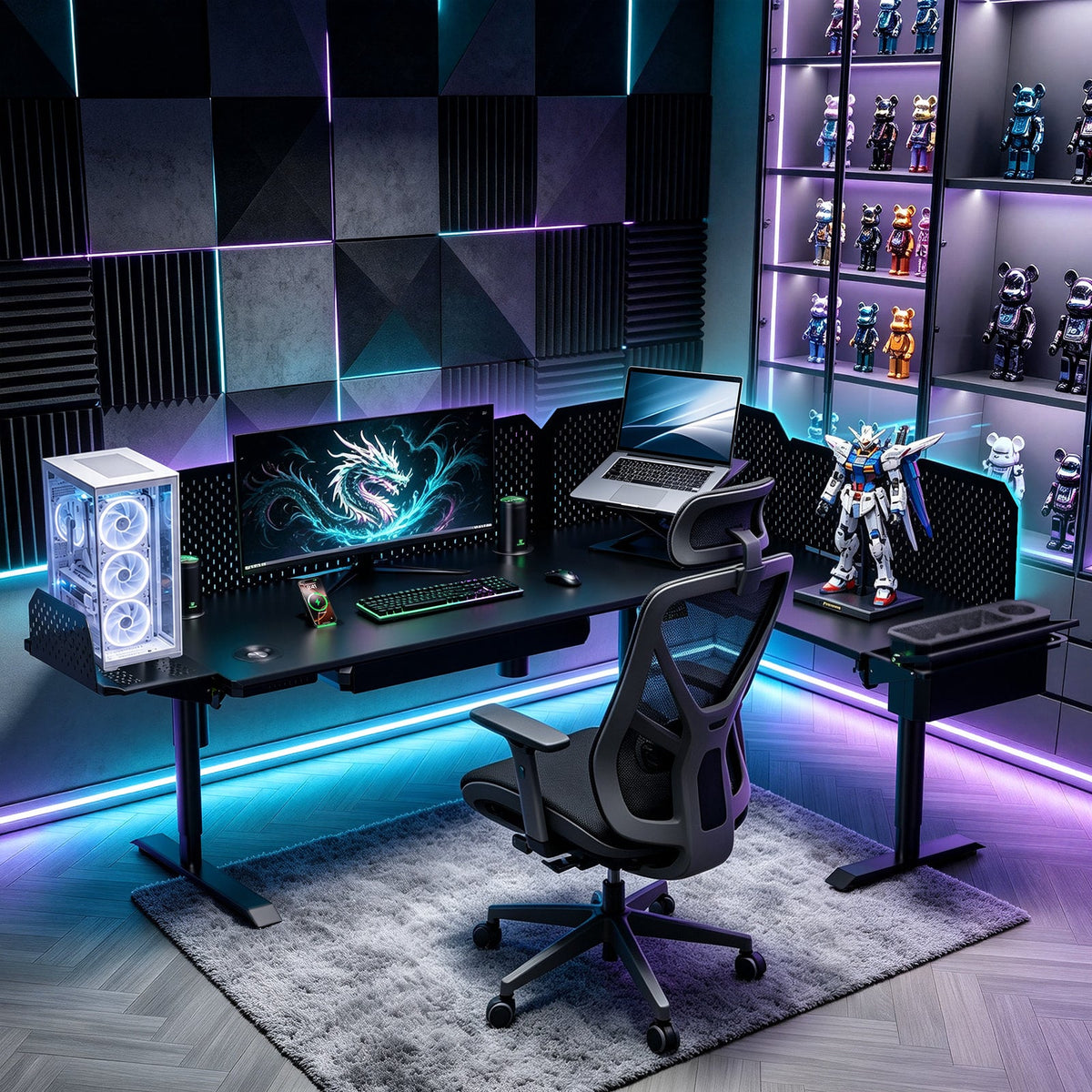
Mark the wall, corner or open area where the desk will go, then decide what each surface needs to hold. A Main configuration works for one primary zone. An L-shaped or Extended L-shaped layout can separate a monitor and keyboard area from a second work surface. A U-shaped layout creates three connected surfaces around the seated position. Before choosing a layout, allow space for chair movement, drawers, doors and cable access.
See the CyberOne Modular product page for current layout options. Smart modules are optional or configuration-dependent, so check what is included rather than assuming a feature comes with every desk.
2. List the equipment that moves with the desk
List the equipment that will stay on the desktop as it moves: displays, a laptop dock, keyboard, microphone, camera, drawing display or other work tools. This helps you choose a layout and plan for cable movement. It also helps you decide whether a multi-monitor setup needs a dedicated mounting solution.
The Monitor Arm System has approximately 29.1 inches of horizontal rail travel, supports up to 20 lb per arm and works with VESA 75 × 75 mm and 100 × 100 mm patterns. It requires a pegboard for installation. Check each monitor's weight and VESA pattern against the current product listing before ordering. For layout planning, see How to Plan a 3-Monitor Standing Desk Setup.
3. Decide on the pegboard before pegboard-mounted accessories
The Main Metal Pegboard adds vertical organization behind the main desk. It is also the required installation surface for the current Monitor Arm System and RGB Ambient Light. In practical terms, choose the pegboard first if a monitor rail or RGB light is part of the intended setup; add-ons that depend on it cannot be planned independently.
Use the pegboard for the accessories you will actively use, rather than filling it for appearance alone. Keep the desktop clear where hands, input devices and papers need to move. The current pegboard listing gives its dimensions and load guidance; verify those details again when finalizing a configuration.
4. Choose optional modules by routine, not by a feature list
CyberOne Modular supports optional or configuration-dependent speakers, charging, RGB lighting, temperature control, monitor support and storage. Start with the routine that creates the most friction in your day: device charging, audio, display positioning, cable control or storage. Then confirm that the selected module is compatible with the chosen configuration and that it is included in the order.
This keeps the desk from being described as a fixed all-in-one product. It is a configurable CyberOne Modular setup: the right combination depends on the work or gaming workflow and the components actually selected. For a module-by-module decision process, read Which CyberOne Smart Desk Modules Should You Choose First?.
5. Plan power and cable paths before the desk is upright
The installation manual shows the master controller and leg cables being routed through the pre-drilled holes and secured with cable-management clips. That step is easier when you know where the desk will face, where wall power is located and which devices must move as the desk changes height. Do not substitute third-party hardware or cable paths for the manual’s specified connections.

After the core desk cables are planned, arrange accessory cables so they have enough movement range without rubbing, pinching or bearing the weight of a device. The L-shaped cable-management guide covers the broader organization process.
Final configuration check
- Confirm Main, L-shaped, Extended L-shaped or U-shaped layout.
- Match the installation manual chapter to that configuration.
- List the equipment that will move with the desktop.
- Add a pegboard if the selected monitor system or RGB light requires it.
- Verify optional modules, included parts and compatibility on the current product pages.
- Plan wall power and desk cable routing before assembly.
When those choices are settled, review the CyberOne Modular series page and the current product configuration before ordering.
Keep reading: