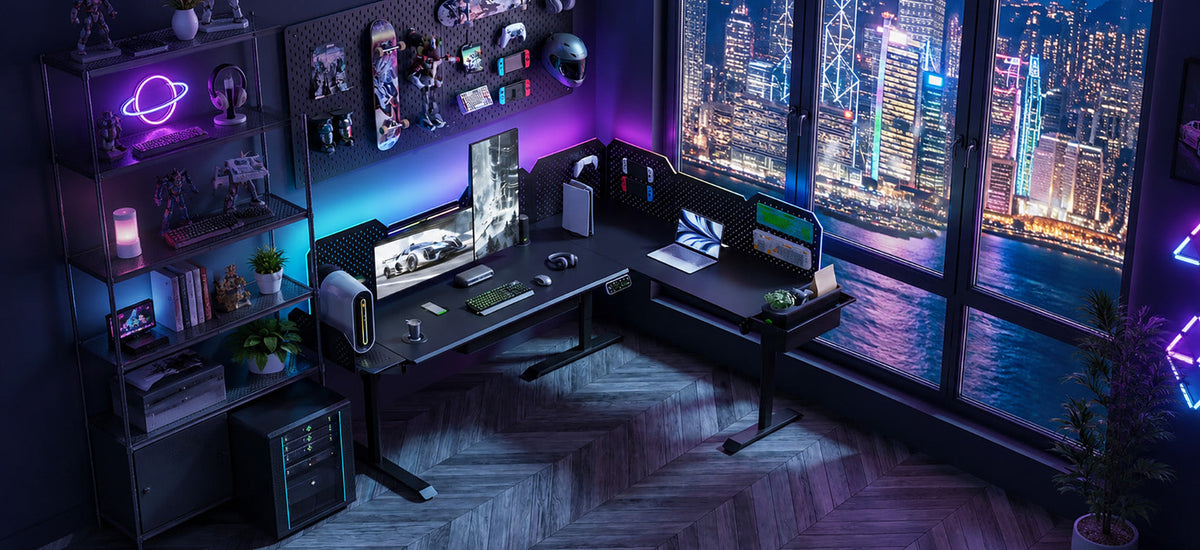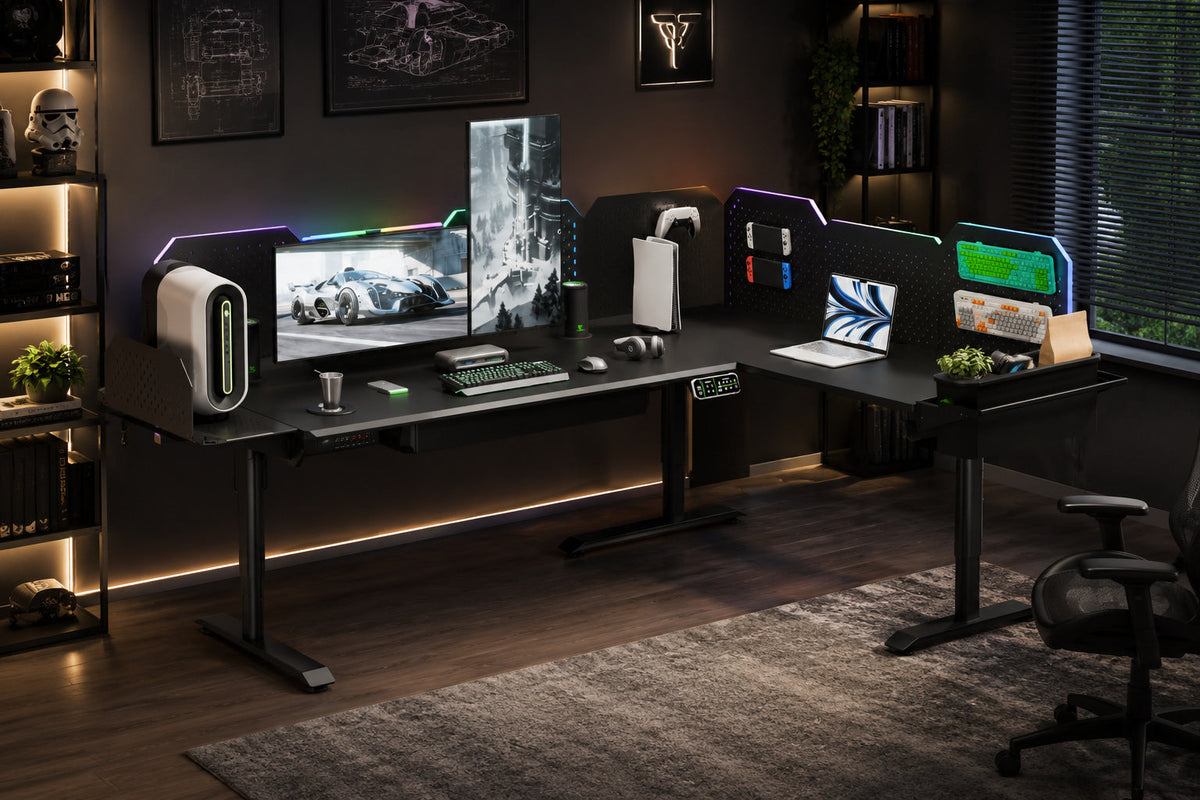
A modular sit-stand desk combines height adjustment with a structure that can change as your equipment, layout, or workflow grows. Instead of treating the desktop as one fixed surface, it may support compatible extensions, storage, equipment mounts, or separate work zones.
Some modular desks also include smart controls, built-in power, charging, lighting, audio, or other powered functions. Those features can make a complex setup easier to manage, but a desk does not need to be smart to be modular.
If your workspace holds several monitors, a desktop PC, speakers, lights, chargers, tools, or maker equipment, modularity can matter as much as height adjustment. If you use a laptop and one monitor, a standard electric desk may already be enough.

The Short Answer
A modular sit-stand desk is a height-adjustable workstation designed to change with your setup. Depending on the system, it may let you:
- add compatible desk extensions or change the layout;
- move storage and equipment off the main work surface;
- create separate zones for computer work, tools, or devices;
- add compatible powered or smart functions when they are useful.
Modular does not mean universal. Every extension, mount, and module still needs to match the desk model and configuration. Smart also does not mean AI. It usually describes powered functions and controls designed to work as part of the desk experience.
What Makes a Sit-Stand Desk Modular?
A standard electric desk mainly solves one problem: changing working height. You can add a power strip, cable tray, monitor arm, drawer, or light, but those accessories do not automatically make the desk modular.
A modular standing desk is designed around change. The structure, compatible components, or layout can adapt without replacing the whole workstation. That change usually appears in three forms.
1. The layout can grow
A modular sit-stand desk may begin as one main desk and later expand into an L-shaped, extended-L, or U-shaped workstation. A second surface can create room for equipment or a separate task without forcing everything onto the main desktop.
CyberOne Modular, for example, is presented in main-desk, L-shaped, extended-L, and U-shaped layouts. The useful idea is staged growth: start with the space you need now, then add compatible space when the setup changes.
2. Equipment can move into the structure
Compatible monitor arms, pegboards, PC holders, tool storage, and drawers can keep equipment close without taking over the center of the desktop. The benefit is not an empty surface for its own sake. It is knowing where tools, devices, and cables belong.
3. Work can be divided into zones
One area might hold monitors and a computer. Another might support a printer, tools, documents, or a secondary device. For creators and makers, defined zones reduce the need to rebuild the desk whenever the task changes.
Modular does not mean every accessory fits. Expansion depends on compatible structures, mounting points, layouts, and support components. Check those details before buying an extension or module.

Modular Sit-Stand Desk vs. Standard Standing Desk
Both types can support sitting and standing. The difference is what happens after the initial setup.
| Question | Standard electric standing desk | Modular sit-stand desk |
|---|---|---|
| Can the height change? | Yes | Yes |
| Can accessories be added? | Often, through general-purpose mounts | Yes, when compatible with the system |
| Can the main layout expand? | Usually limited | May support extensions or larger layouts |
| Can equipment move into the structure? | Depends on third-party accessories | May use frame-integrated storage or mounts |
| Is it useful for a light setup? | Often the simpler choice | May be more system than needed |
The modular option becomes more useful when the number of devices, the amount of storage, or the shape of the work is likely to change. A standard motorized sit stand desk remains a sensible choice when the setup is small and stable.
When Are Smart Features Worth Adding?
“Modular” describes how a workstation can change. “Smart” describes how powered functions and controls work within the desk experience. The terms overlap, but they are not interchangeable.
Depending on the product and configuration, smart functions may include height presets, built-in power access, USB charging, wireless charging, lighting, audio, or app-based control. Their value is practical: each separate device would otherwise need space, a cable, an outlet, and a place in the workflow.
CyberOne Modular shows how the two ideas can work together. Livtab presents it as a system that combines workspace, power, charging, smart functions, and expansion. Available smart-function modules include speakers, RGB lighting, cup temperature control, and wireless charging. Its app can control desk height and, when compatible modules are installed, related lighting and cup functions.
These features depend on the model, layout, and modules selected. “Smart” should not be read as “every feature is included.”

Smart, Powered, Integrated, and Modular: The Difference
| Term | What it mainly describes | Simple example |
|---|---|---|
| Electric or powered | A function uses electrical power | Motorized height adjustment |
| Smart | Powered functions can be controlled as part of the desk experience | Height presets or app control |
| Integrated | Several functions are designed into one workstation system | Power, charging, controls, and cable routing working together |
| Modular | The structure, layout, or compatible functions can change | Expanding from a main desk to an L-shaped layout |
An integrated powered sit-stand workstation may combine several of these ideas. The phrase explains how the system works without suggesting artificial intelligence or unlimited compatibility.

Who Benefits From a Modular Sit-Stand Desk?
The strongest fit is a heavy, changing, multi-device setup.
Multi-monitor and gaming setups
A gaming or multi-monitor desk can quickly collect a PC, displays, speakers, lighting, controllers, chargers, and several power adapters. A modular structure creates room for more equipment or a separate side zone. Smart integration can make power and controls easier to manage.
Creator workstations
Camera gear, microphones, audio interfaces, drives, lights, and charging devices compete for the same space. A modular layout can separate editing, recording, and equipment areas. Integrated power and controls can reduce the number of disconnected fixes.
Maker and 3D-printing spaces
A maker setup may include a computer, printer tools, parts, storage boxes, and a project area that changes from week to week. Structural modules can move tools and small items off the center of the desk. An expandable layout can create a process zone without replacing the original workstation.
These are examples of fit, not guaranteed outcomes. Ventilation, equipment safety, room power, vibration control, and specialist storage still need separate planning.

Three Livtab Paths
Livtab’s current desk range shows why modular structure and smart functions should be evaluated separately.
CreatorOne: structure first
CreatorOne focuses on layout, storage, and structural expansion. It suits people who want to organize several work zones or choose their own electronics.
CyberOne Modular: structure plus smart functions
CyberOne Modular combines available smart-function modules, built-in power and charging, app control, structural storage, and expandable layouts. It fits someone who wants both structural growth and a more integrated desk experience.
CyberOne Pro: integrated experience first
CyberOne Pro follows a more all-in-one path. Livtab presents it with smart functions, built-in power and cable management, app control, and structural storage in one main workstation experience.
These are different routes, not a good-better-best ranking. The right choice depends on whether structural freedom, integrated functions, or a balance of both matters more to you.
| CreatorOne | CyberOne Modular | CyberOne Pro |
|---|---|---|
 |
 |
 |
| Structure-first modular expansion | Structural growth plus smart functions | Integrated experience first |
Who Probably Does Not Need One?
A modular sit-stand desk can be unnecessary for a light setup.
If you use a laptop, one monitor, and a few accessories, a standard electric standing desk may already solve the main problem. The same is true if you move often, have limited room, or prefer to replace individual accessories without joining a product system.
More integration also means checking compatibility, dimensions, cable paths, power access, under-desk clearance, and delivery access. A simpler desk can be easier to buy, move, and maintain.
Choose for the setup you have and the changes you can reasonably expect, not for the longest feature list.
8 Questions to Ask Before You Choose
- How many monitors and devices need to stay on the desk every day?
- Where will the PC, speakers, chargers, and power adapters go?
- Do you expect to add equipment or another work zone?
- Would an L-shaped or U-shaped layout solve a real space problem?
- Which extensions, mounts, and modules are compatible with the exact desk model?
- How will cables and the main power connection move through the setup?
- Does the room have enough clearance for the current and future layout?
- Would a standard standing desk plus a few accessories solve the same problem more simply?

If your answers point toward a heavy, changing, multi-device setup, compare the Livtab standing desk systems by structure, integrated functions, and compatibility. If the setup is light, the simpler option may be the better fit.
Frequently Asked Questions
What makes a standing desk modular?
A standing desk is modular when its structure, compatible components, or layout can change as the setup grows. Adding one generic accessory does not automatically make the desk modular.
Is a modular sit-stand desk the same as a smart desk?
No. Modular describes structural or functional change. Smart describes integrated powered functions and controls. A desk can be modular without being smart, or smart without offering structural expansion.
Is a smart standing desk the same as an AI desk?
No. In this article, smart refers to integrated powered functions and control. It does not mean the desk learns your behavior or makes decisions for you.
Does modular mean every accessory will fit?
No. Modular systems still have compatibility rules. Check the desk model, layout, mounting points, required support components, and exact accessory before buying.
Can a modular desk expand later?
Some systems support later layout or module expansion. CyberOne Modular is presented with main, L-shaped, extended-L, and U-shaped options, but each expansion requires compatible components.
Is a modular sit-stand desk worth it for a simple home office?
It may be more system than a simple setup needs. A standard electric standing desk can be the better choice when the workspace is light, stable, and unlikely to expand.
Build Around the Setup You Have
A modular sit-stand desk is useful when the workstation needs to change with new equipment, tasks, or work zones. Smart features can add convenient control and power integration, but they should solve a real problem rather than lengthen a feature list.
Start with your equipment, room, cable paths, and likely next step. Choose the simplest desk that can support both the setup you have and the growth you can reasonably expect.
Keep reading: