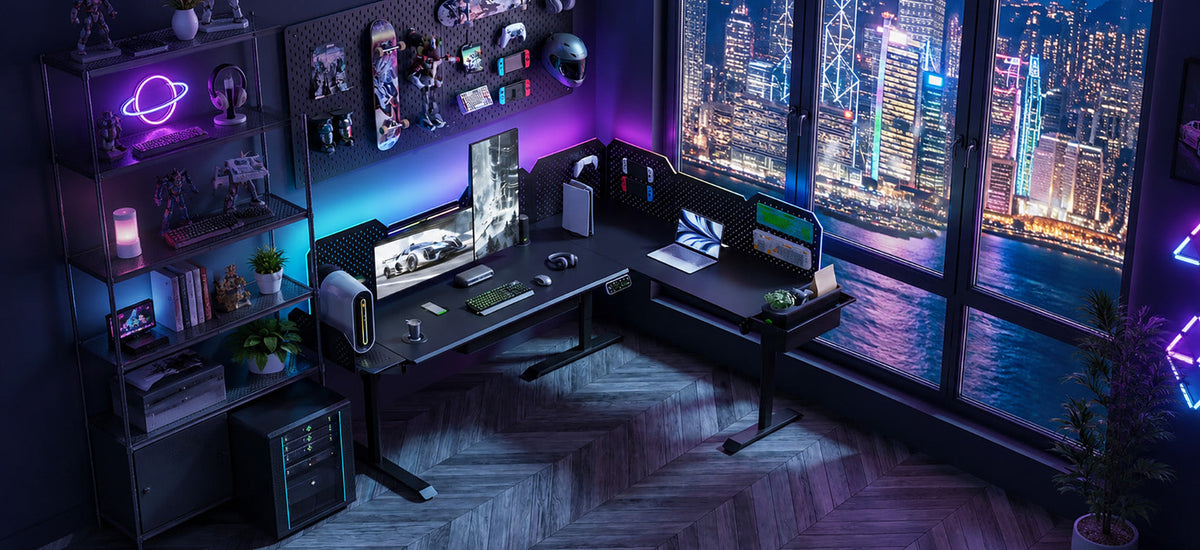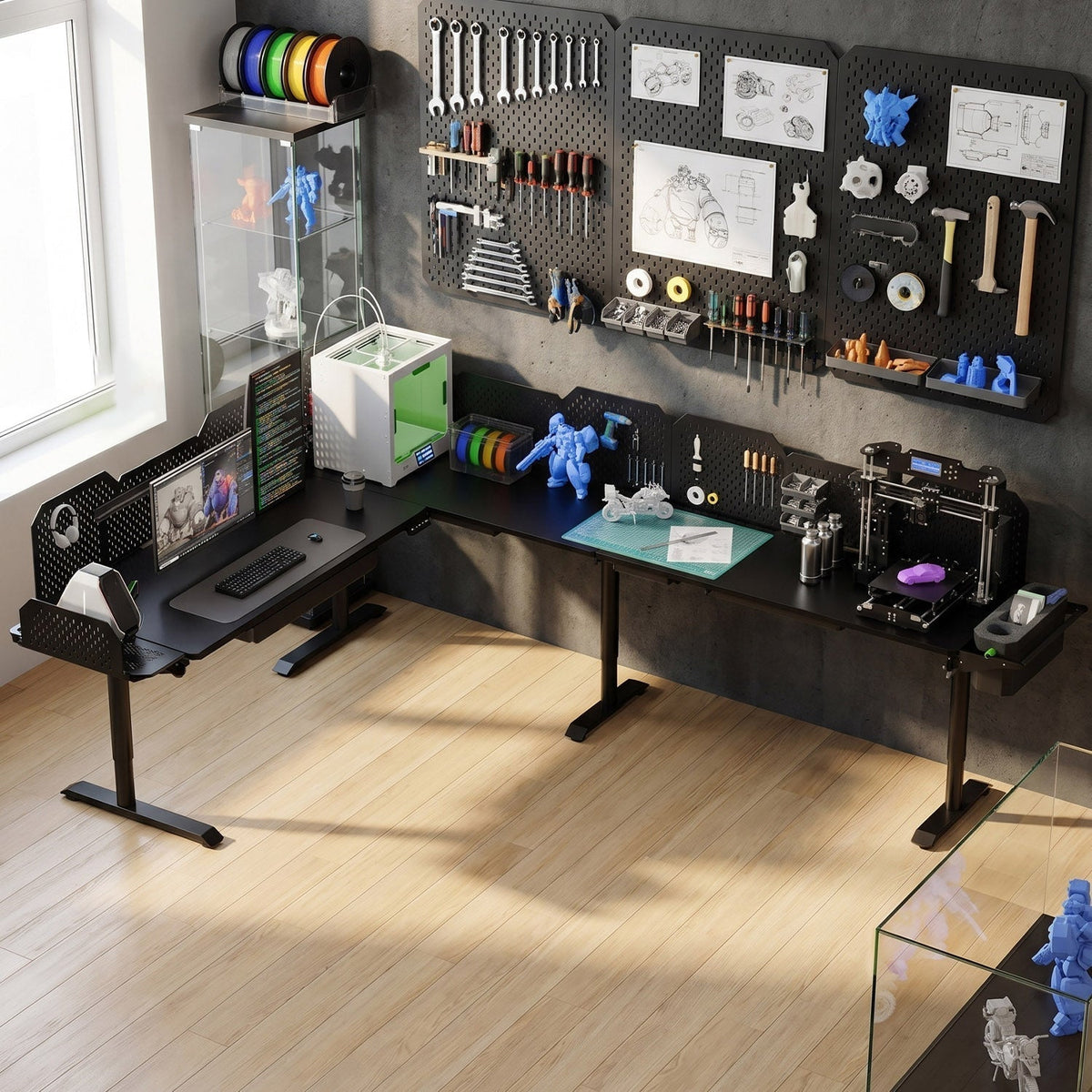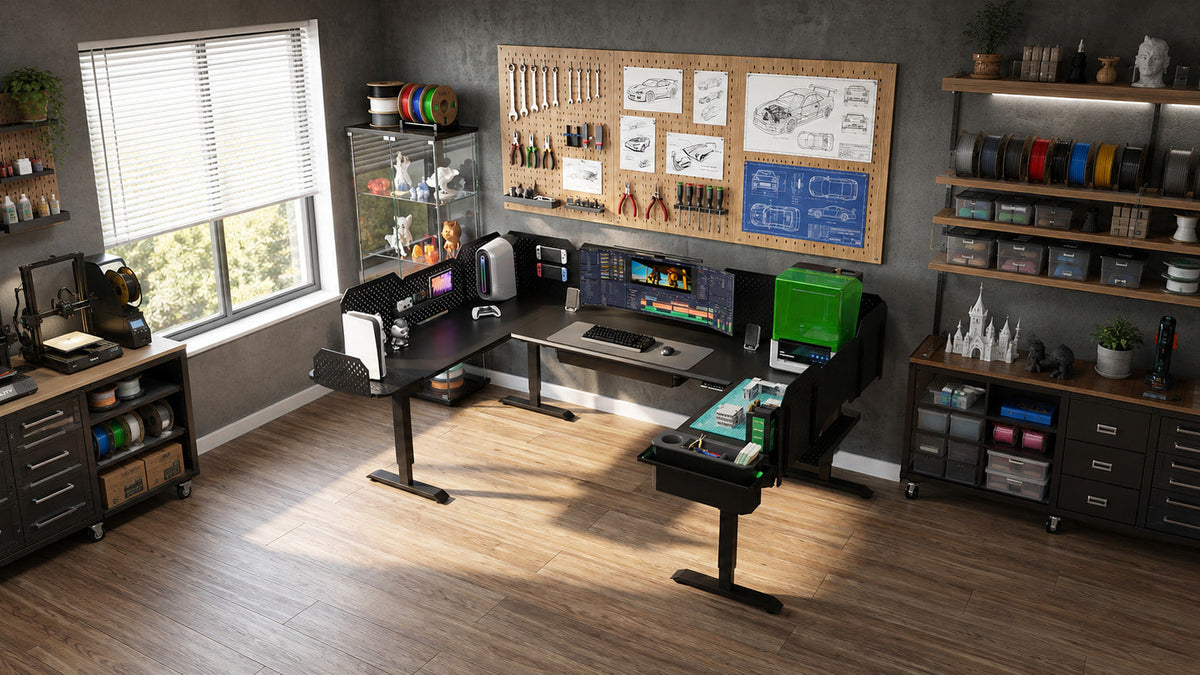
If you use a standing desk with multiple monitors, monitor arms, a desktop PC, speakers, 3D printers, or other equipment, the frame matters more than it might seem.
Not because a typical desk is at risk of breaking.
The more common problem is movement.
A desk that feels solid while you're sitting can feel noticeably less stable once it rises to standing height. Add a large monitor on an arm, put a printer near one corner, or lean against the front edge, and small movements become much easier to see and feel.
This is where carbon steel has an advantage over aluminum.
For frame members with comparable geometry, steel is roughly three times stiffer than aluminum. That does not necessarily make it "stronger" in every sense. It means it bends less under the same load.
And for a standing desk, bending and movement usually matter long before the material gets anywhere near its breaking point.
Steel Isn't Necessarily Stronger Than Aluminum
One of the most common claims in standing desk marketing is that steel is better because it is stronger than aluminum.
That's too simple.
Take two materials commonly discussed in desk frames:

- Q195 carbon steel has a yield strength of roughly 195 MPa.
- 6061-T6 aluminum has a typical yield strength around 240–276 MPa.
By that measure, 6061-T6 aluminum can actually have the higher yield strength.
So why can a steel frame still feel more solid?
Because yield strength and stiffness describe different things.
Strength tells you how much stress a material can take before it permanently deforms.
Stiffness tells you how much it bends under load before returning to its original shape.
For a standing desk, the second question is often more useful.
A monitor arm is unlikely to bend a steel desk leg permanently. But it can create leverage that causes the frame to move slightly every time you type, touch the monitor, or lean against the desk.
That movement is what you notice.
The Number That Matters: Elastic Modulus
Material stiffness is commonly described by its elastic modulus, or Young's modulus.
| Material | Elastic Modulus | Relative Material Stiffness |
| Carbon steel | ~200 GPa | 1.0× |
| Stainless steel | ~193 GPa | ~0.97× |
| 6061 aluminum | ~69 GPa | ~0.34× |
For the same geometry, a steel member will therefore deflect substantially less than an aluminum member under the same load.
The important phrase is for the same geometry.
A large, well-designed aluminum section can outperform a thin or poorly supported steel one. Material is only one part of structural stiffness.
In simplified terms, bending stiffness depends on:
E × I
where:
- E is the stiffness of the material.
- I is determined by the size and shape of the structural section.
Steel gives the designer a higher E.
Good frame design has to supply the rest.
That's why "steel frame" by itself isn't enough information to tell you whether a standing desk will be stable.
What Does "Cold-Rolled Carbon Steel" Actually Mean?
These terms are often grouped together as though they describe different materials. They don't.
Carbon steel describes a family of steels based primarily on iron and a relatively small amount of carbon.
Cold rolled describes how the steel sheet is processed.
Q195 is a material grade.
A desk component can therefore be made from cold-rolled Q195 carbon steel without any contradiction between those terms.
And carbon steel should not be confused with carbon fiber. They share the word "carbon," but they are completely different materials.
It's also worth separating the frame from the desktop. A steel desk frame does not mean the entire desk is steel. CreatorOne, for example, uses a steel frame with an engineered wood desktop.
Cold rolling can help manufacturers control sheet thickness, shape, and surface finish more closely. But that does not automatically mean a completed lifting column has tight tolerances.
For a telescoping standing desk leg, what matters is the finished assembly: the tube geometry, guide components, clearances between stages, manufacturing consistency, and how those parts fit together.
Those are the details that determine how much mechanical play you eventually feel at the desktop.
Why Standing Height Exposes Weaknesses
If you've compared standing desks before, you may have noticed something strange: many of them feel perfectly stable at sitting height.
That's not surprising.
A standing desk becomes structurally more demanding as it rises.
Its telescoping columns extend, leverage increases, and less of each nested section remains supported inside the section below it.
A simplified cantilever-beam model helps explain the basic principle. In that model, deflection increases with the cube of length:
δ ∝ L³
In other words, a relatively small increase in unsupported length can produce a much larger increase in deflection.
A standing desk leg is more complicated than a uniform cantilever beam, so this formula should not be read as a literal prediction of desk wobble. Telescoping stages, bushings, overlap, feet, crossmembers, joints, and the desktop all affect the real result.
But the underlying lesson is useful:
Height magnifies movement.
At the same time, telescoping columns lose overlap as they extend. The desk is therefore being asked to resist greater leverage when its columns are more extended.
This is why a stability demonstration at 30 inches tells you relatively little about how the same desk will feel near 45 or 47 inches.
If standing-height stability matters to you, test it at standing height.
Steel Helps, but the Frame Still Has to Be Designed Properly
Material choice is only the beginning.
A stable standing desk is a system.
Movement can come from:
- bending in the lifting columns clearance between telescoping stages;
- movement at bolted joints;
- flex in brackets or crossmembers;
- desktop flex;
- the connection between the frame and desktop;
- the feet; floor conditions;
- monitor arms or other attachments.
This is why two desks made from "steel" can behave very differently.
Section dimensions matter. Wall thickness matters. The distance between the columns matters. Foot geometry matters. Joint design matters.
And once you move beyond a simple rectangular desk, connections matter even more.
An L-shaped or U-shaped desk adds more surface area, more load paths, more lifting points, and more interfaces between components. Those parts have to work together as one structure.
Putting a steel bracket between two desktops doesn't automatically create a stable modular workstation.
The connection has to be designed for it.
Why Connections Deserve More Attention
When you push the edge of a desk, the force doesn't simply travel straight down the nearest leg.
It moves through the desktop, brackets, frame rails, lifting columns, feet, and eventually the floor.
Every connection along that path can introduce movement.
This becomes especially important with cantilevered loads.
A monitor mounted on an arm is very different from a monitor sitting directly above a desk leg. The arm places the load farther away from the supporting structure and creates a moment at its mounting point.

The same is true for:
- corner-mounted printers;
- speakers on extension arms;
- PCs mounted beneath the desktop;
- tool storage; side work surfaces;
- large pegboards;
- camera equipment.
This does not mean those setups are unsafe. It means their stability depends on more than the material printed on the product page.
If a newly assembled standing desk feels looser than expected, checking the fasteners and connection points is a sensible first step. A small amount of movement at a joint can become much more noticeable by the time it reaches the edge of a large desktop.
Carbon Steel vs. Aluminum vs. Stainless Steel
There isn't one universally best frame material.
Each solves a different problem.
| Carbon Steel | 6061-T6 Aluminum | Stainless Steel | |
| Elastic modulus | ~200 GPa | ~69 GPa | ~193 GPa |
| Relative material stiffness | 1.0× | ~0.34× | ~0.97× |
| Typical density | ~7.85 g/cm³ | ~2.70 g/cm³ | ~7.9–8.0 g/cm³ |
| Weight | Heavy | Much lighter | Heavy |
| Corrosion resistance | Requires surface protection | Naturally good | Excellent |
| Best suited to | Rigid workstation frames | Weight-sensitive designs | Corrosive environments |
Carbon steel
Carbon steel makes sense when stiffness, structural flexibility, and the ability to build a substantial frame matter more than weight.
For a workstation that will be assembled once and left in place, this is often a reasonable trade.
Aluminum
Aluminum's advantage is obvious the first time you have to carry it.
At roughly one-third the density of steel, it makes far more sense for portable products and designs where weight matters.
A well-designed aluminum frame can also be perfectly stable for a normal laptop-and-monitor setup.
The question isn't whether aluminum is "bad." It is whether the structural design provides enough stiffness for your equipment, working height, and expectations.
Stainless steel
Stainless steel offers stiffness similar to carbon steel with much better corrosion resistance, but usually at a higher material cost.
For an indoor standing desk, that extra corrosion resistance often provides limited practical value.
When Is a Carbon Steel Standing Desk Frame Worth It?
A steel frame starts making more sense as your setup becomes more demanding.
It is worth considering if you regularly use:
- two or more large monitors;
- long monitor arms;
- ultrawide displays;
- desktop PCs mounted to the desk;
- speakers or audio equipment;
- 3D printers;
- drawing or engineering equipment;
- tools and storage;
- wide L-shaped or U-shaped work surfaces;
- equipment mounted away from the center of the frame.
The common factor isn't simply weight.
It's leverage.
A 20-pound object placed near the edge of a desk can challenge the structure differently from the same object sitting directly above a lifting column.
For users building a permanent workstation rather than a simple height-adjustable table, frame stiffness becomes more valuable.
When Steel Probably Isn't Worth Paying Extra For
There are also plenty of cases where steel should not be the deciding factor.
You spend most of the day sitting
At lower heights, differences in frame stiffness are generally less noticeable.
If you rarely raise the desk, other features may matter more: desktop size, controls, cable management, finish, or price.
You use a laptop and one monitor
A light, centered setup does not place particularly demanding loads on a well-designed desk frame.
There's little point buying a workstation built for loads you will never have.
You move frequently
A large steel desk gets heavy quickly.
If you need to move between rooms, climb stairs, relocate often, or assemble and disassemble the desk regularly, aluminum's weight advantage is real.
The only selling point is "steel"
Steel is not a substitute for good engineering.
If the manufacturer tells you nothing about the frame geometry, load ratings, lifting system, structure, or testing, the word "steel" alone shouldn't persuade you.
How CreatorOne Uses a Steel Frame
CreatorOne was designed less like a conventional office desk and more like a configurable workstation.
The current system is available in four main layouts:

- Main Desk
- L Shape
- Extended L
- U Shape
The frame uses cold-rolled Q195 steel.
We publish the grade because material transparency is useful, but Q195 itself is not the main reason to choose the desk. A steel grade does not tell you how stable a finished workstation will be.
The more important question is what the complete frame is designed to support.
CreatorOne combines its steel structure with multi-motor lifting systems and frame configurations designed around larger work surfaces, mounted equipment, storage, and modular accessories.
Current published specifications include:
| Specification | CreatorOne |
| Frame material | Cold-Rolled Q195 Steel |
| Desktop material | High-Density Fiberboard |
| Height range | 30.3″–47.2″ |
| Lift speed | 35 mm/s |
| Noise level | ≤50 dB |
| Control panel | 4 height presets |
| Cable management | Yes |
| Frame warranty | 10 years |
Load capacity varies by configuration.
| Layout | Motor System | Static Capacity | Dynamic Capacity | Desktop Size |
| Main Desk | 2 motors | 630 lb | 315 lb | 63.0″ × 31.5″ |
| L Shape | 3 motors | 760 lb | 380 lb | 86.6″ × 63.0″ |
| Extended L | 4 motors | 1,000 lb | 500 lb | 86.6″ × 126.0″ |
| U Shape | 4 motors | 1,000 lb | 500 lb | 110.2″ × 63.0″ |
For a standing desk, the dynamic capacity deserves particular attention because it describes the rated load while the desk is actually moving.
Static capacity and dynamic capacity are not interchangeable.
A desk may safely support more weight while stationary than its lifting system is designed to move.
If you're planning a heavy workstation, read our guide to Static vs. Dynamic Load Capacity before choosing a configuration.
Modular Layouts Change the Structural Problem
Going from a rectangular desk to an L-shaped or U-shaped desk isn't just a matter of adding more desktop.
The load path changes.
So does the number of support points, connections, motors, and frame members needed to control the larger structure.
That's why a modular standing desk should be treated as a system rather than a collection of compatible-looking parts.
For CreatorOne, the goal is to let users build different work zones around the way they actually work.
Someone editing video may want a primary monitor area with storage and equipment off to one side.
A maker may want a computer workspace on the main desk and a 3D printer or tool area on an extension.
A developer or trader may need more monitor mounting space without covering the entire desktop in monitor stands.
The layout matters because the work is different.
But bigger isn't automatically better.
If all of your equipment fits comfortably on a normal rectangular desk, adding another surface may simply take up more room.
Choose the configuration around what you actually need to keep set up.
For a deeper explanation, see our guide to Modular Sit-Stand Desks.
Don't Judge Stability by Weight Alone
A heavy desk can feel substantial when you're moving the boxes.
That doesn't make weight a stability specification.
Adding mass can change how a structure responds to vibration, but a heavier desk can still move if the columns, joints, or mounting points flex.
Likewise, simply putting more weight on the desktop isn't a reliable way to "stabilize" a desk.
A good frame uses material where it contributes structurally.
That is more useful than making every component as heavy as possible.
The downside of steel is still worth considering. Large configurations can be difficult to carry and assemble, particularly up stairs or through narrow doorways.
Before ordering a large workstation, check package dimensions, package weights, access to the room, and the assembly instructions.
How to Test Standing Desk Stability Yourself
You don't need laboratory equipment to get a useful impression of a desk.
If you're visiting a showroom or testing one you already own, try this.
Raise it to your actual standing height
Don't start at the bottom.
Lower positions are the easiest condition for almost any adjustable desk.
Set the desk where you would actually work.
If you are comparing two desks, put them at the same height.
Push from the front and the side
Use a similar amount of force each time.
You are not trying to knock the desk over. You're looking for how quickly movement starts, how far it travels, and how quickly it settles.
Pay attention to whether the desktop translates as a whole or twists.
Test an outer corner
Press down and slightly sideways near an unsupported corner.
This gives you a better sense of how the desk handles an off-center load.
Also watch the desktop itself.
If the top flexes while the frame barely moves, you may be looking at a desktop-stiffness issue rather than a frame issue.
Type normally
This may be more useful than a dramatic push test.
A desk can move when deliberately shoved and still feel completely normal during actual work.
If your monitors visibly shake every time you type, that's more relevant than what happens when somebody pushes hard against the side.
Repeat the test higher
Compare the same desk at sitting height and standing height.
Every telescoping standing desk will generally become more sensitive to movement as it extends.
What matters is how much the experience changes.
That's also why stability videos are more useful when they show the test height, equipment, floor, and complete desk configuration.
A close-up of a glass of water or monitor shaking without showing the test conditions tells you very little.
What to Check Before Buying a Standing Desk Frame
Before choosing a desk based on frame material, look at the complete system.
Ask:
- Does the height range fit both your seated and standing positions?
- What is the frame actually made from?
- What are the frame and column dimensions?
- How is the desktop supported?
- What is the rated dynamic lifting capacity?
- Does the rating change between different layouts?
- How are extensions supported and connected?
- Will your monitor arms and other mounts fit the intended mounting areas?
- Can you see the desk tested near your actual working height?
- What parts are covered by the warranty?
- Can you realistically move the packages into your room and assemble the desk?
If you're building a larger setup, add one more question:
Where will the load actually sit?
A total weight number doesn't tell the whole story.
Five monitors centered over the frame and a heavy 3D printer sitting at the end of an extension create very different structural conditions.
Plan around the real setup.
Frequently Asked Questions
Is a carbon steel standing desk frame worth it?
It can be, especially for users who work at standing height with larger monitors, monitor arms, mounted equipment, tools, or wide work surfaces.
Steel's main advantage in this application is stiffness. For comparable geometry, steel has an elastic modulus of roughly 200 GPa versus about 69 GPa for 6061 aluminum.
For a simple laptop setup, the difference may not matter enough to justify extra weight or cost.
Is steel stronger than aluminum for standing desk frames?
Not necessarily.
6061-T6 aluminum can have a higher yield strength than Q195 carbon steel.
The more relevant advantage of steel in many desk-frame applications is its higher elastic modulus, which means less elastic deformation for the same structural geometry.
Is cold-rolled steel different from carbon steel?
They describe different things.
Carbon steel describes the material family. Cold rolling describes a manufacturing process.
A component can be made from cold-rolled carbon steel.
Does a carbon steel frame guarantee a stable desk?
No.
Material is only one part of the structure.
Column dimensions, section geometry, telescoping clearances, joint design, desktop support, feet, assembly quality, floor conditions, and equipment placement all affect movement.
Why does my standing desk wobble more when raised?
As telescoping columns extend, the structure becomes more sensitive to lateral loads and leverage.
Column overlap also changes as the desk rises.
That's why stability should be evaluated at the height where you actually plan to work, not only at sitting height.
Does a heavier desk automatically wobble less?
No.
Weight alone is not a measure of structural stiffness.
A heavy desk with flexible joints or poorly controlled telescoping columns can still move noticeably.
How can I tell whether a steel frame is well designed?
Don't stop at the material name.
- Look for information about:
- section dimensions;
- wall thickness;
- lifting-column design;
- dynamic load capacity;
- number and placement of supports;
- connections;
- feet;
- full-height stability demonstrations;
- independent structural or durability testing where available.
Publishing a named steel grade improves transparency, but it does not by itself predict stability.
What steel does CreatorOne use?
The current CreatorOne specification lists cold-rolled Q195 carbon steel for its frame.
Material is only one part of the system, so compare the complete configuration, lifting system, capacity, dimensions, and layout before choosing a version.
Is an aluminum standing desk frame bad?
No.
Aluminum is much lighter than steel, naturally corrosion-resistant, and can work very well in a properly designed frame.
It is particularly attractive when portability matters.
For heavier setups at higher standing positions, frame stiffness becomes more important, so the complete structural design should be compared rather than the material alone.
Can I attach any extension to a steel standing desk?
No.
The frame material does not make unrelated components structurally compatible.
Extensions need the correct support, connection hardware, lifting system, controller compatibility, and load rating for the specific desk.
Use components designed for the configuration you own.
Is carbon steel the same as stainless steel?
No.
Carbon steel and stainless steel are different material families.
Stainless steel contains enough chromium to develop strong natural corrosion resistance. Carbon steel normally relies on a protective surface finish or coating.
For an indoor standing desk, properly finished carbon steel is commonly used.
So, Is a Carbon Steel Standing Desk Frame Worth It?
For a permanent workstation used at standing height, often yes.
But not simply because "steel is strong."
Steel's real advantage is stiffness. It gives frame designers a material that resists elastic bending much better than aluminum at comparable geometry.
Whether that advantage reaches your desktop depends on everything around it: column dimensions, structural sections, joints, supports, feet, telescoping clearances, assembly, and the way your equipment is mounted.
That's the distinction worth remembering.
Steel is a good structural starting point. It isn't a guarantee of a stable standing desk.
If you work with a laptop and one monitor, you probably don't need to make frame material the center of your buying decision.
If you're building a workstation around multiple monitors, mounted equipment, tools, a 3D printer, or an L- or U-shaped layout, then frame stiffness and structural design deserve much more attention.
Choose the desk around the work you're actually going to put on it.
Explore CreatorOne Frame & Configurations
Planning a heavy multi-monitor or 3D printer setup? Read Static vs. Dynamic Load Capacity to size your load correctly, or start with What Is a Modular Sit-Stand Desk if you are still choosing a layout.